


Zomato: Food Delivery & Dining
Zomato
I use Zomato as a practical companion when I want to decide what to eat without jumping between restaurant menus, review pages, and delivery services. It brings food ordering, restaurant discovery, customer opinions, dining offers, and delivery choices into one Food & Drink app. That combination is its real appeal: it is not only a checkout tool, but also a way to narrow down an overwhelming list of places.
My experience is strongest when I already know roughly what I want but still need help choosing the restaurant. Searching for a cuisine, browsing nearby options, checking recent-looking feedback, and comparing the final order cost feels more useful than relying on a single familiar takeaway app. At the same time, Zomato is not equally valuable for every situation. If I have a favorite restaurant with its own ordering system, or if I need absolute certainty about a particular menu item, going directly to that restaurant may be simpler.
How Zomato feels during everyday use
Quick decisions are where the app makes the best impression
The first thing I notice is how naturally Zomato fits the “what should I eat?” moment. I can begin with a dish, a cuisine, a restaurant name, or the broader idea of dining out. That flexibility matters because people rarely start with the same kind of plan. Sometimes I want noodles; sometimes I want a quiet place for a meal; sometimes I only want to see what is available nearby.
For speed expectations, I would describe the app as most useful when I treat it as a decision-making layer rather than a promise that every order will move instantly. Restaurant pages, menus, reviews, and offers can require more attention than a basic one-restaurant ordering app. That extra information slows the process slightly, but it also helps me avoid ordering blindly.
A realistic evening example is ordering after work while trying not to overspend. I can look at several restaurants, inspect what other diners say, check whether the menu suits one person, and then decide whether delivery or dining makes more sense. The important tip is to compare the complete checkout total instead of judging a restaurant by the displayed dish price alone. Offers may look attractive at first, yet the final amount is what determines whether the choice is genuinely good value.
Latest News

Uber Eats Under Pressure: What Happens When Delivery Goes Wrong

How QR & Barcode Scanner Adapts to Android and iOS Innovations

Why Waze Navigation & Live Traffic Is Your Essential Travel Companion

CapCut Mastery: Unleash Hidden Features for Pro-Level Editing

How OS Updates Enhance Roblox Adventures

Teacher Simulator: Exam Time Turns Quick Classroom Judgments into a Repetitive Loop
The smartest way to use Zomato is to decide in stages: shortlist first, inspect the menu second, and review the final order details before paying. That habit reduces the chance of choosing a restaurant simply because its first photo or headline offer caught my attention.
Discovery is more valuable than a simple restaurant directory
Many food apps can show nearby restaurants, but Zomato feels more useful when I am comparing unfamiliar places. Reviews provide context that a menu cannot: whether portions seem suitable, whether a dish is commonly praised, or whether the overall dining experience matches the occasion. I do not treat every review as fact, because tastes and expectations differ, but patterns across several comments can still guide a decision.
For dining out, I pay attention to the difference between a restaurant that looks good for a quick meal and one that appears better suited to a longer visit. That distinction is easy to miss when using a basic delivery-only service. Zomato’s focus on both ordering and dining means I can use the same app before leaving home, not just when I want food brought to the door.
Gallery
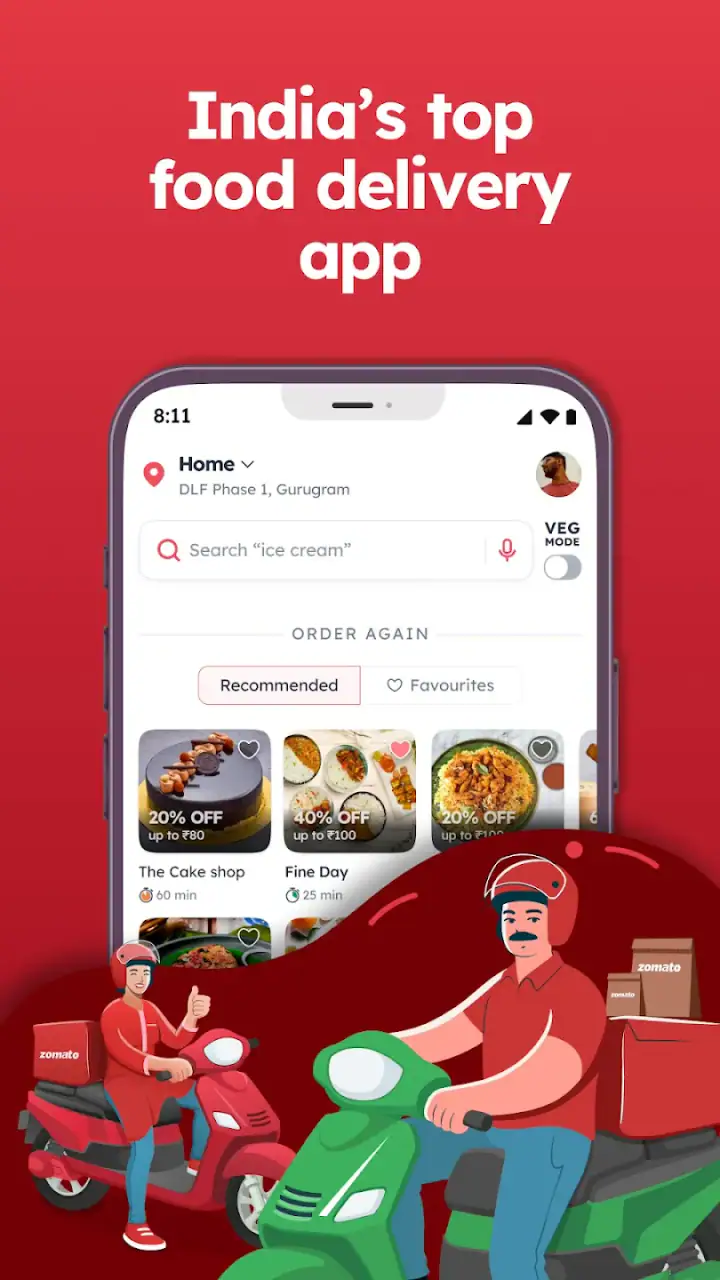
One non-obvious advantage is that the app can help separate “popular” from “appropriate for me.” A highly visible restaurant may not be the best fit for a vegetarian group, a late meal, a limited budget, or a specific craving. I use reviews and menu details together rather than allowing the average rating to make the decision on its own.
Heavy-use moments reveal the trade-off between choice and simplicity
The app becomes more demanding when I am browsing many restaurants, opening several menus, reading reviews, and switching between delivery and dining options. That is not necessarily a flaw; richer discovery naturally involves more content than a minimal ordering screen. Still, someone who already knows exactly what they want may find the extra browsing unnecessary.
During busy meal periods, I would keep my expectations realistic. Restaurant preparation and delivery depend on the individual business and the surrounding service conditions, so the app should not be judged only by how quickly its screens appear. The useful question is whether it helps me make a better choice before placing the order. In that role, it earns its place, but it cannot remove every delay after checkout.
My practical workflow during a heavy-use session is to avoid opening every restaurant in a long list. I narrow the options by cuisine and location, check a few relevant reviews, and then compare the menu and total cost. This saves time and reduces the amount of scrolling, especially when I am hungry and do not want to turn dinner into research.
Stability matters most after I have made a decision
An ordering app has to do more than display attractive restaurant pages. It needs to keep the path from browsing to checkout understandable. In my view, reliability is less about a flashy interface and more about whether I can recover calmly when I change my mind, return to a previous screen, or reconsider an item.
Zomato works best when I treat the basket as a checkpoint. Before confirming, I review the restaurant, selected dishes, quantities, and final amount. This is particularly important after browsing several menus, because it is easy to remember a dish incorrectly or assume that an offer applies in the way I expected. Taking that short pause is more dependable than rushing through a large order.
If a session is interrupted, my recovery approach is simple: return to the restaurant page, verify the basket, and avoid assuming that the last screen tells the whole story. I would rather spend a few seconds checking than place a duplicate order or discover that the selection changed. This is sensible practice for any food-ordering service, but it matters more in an app that encourages extensive browsing.
Reviews also need a reliability check from the user. I find them helpful as a group, not as an absolute guarantee. A comment about delivery timing may reflect one particular day, while a comment about taste may be highly personal. I look for repeated observations and match them to my own priorities. That makes the review system useful without pretending it can predict every meal perfectly.
Offers can help, but they should not lead the decision
Zomato’s dining and delivery offers are appealing when they align with a restaurant I already want to use. They are less valuable when they push me toward a place I would not otherwise choose. My rule is to select the restaurant first and treat the offer as a bonus, rather than allowing a discount label to decide dinner.
This is another area where comparing the final amount is important. A lower advertised price does not automatically mean a lower overall spend. I also consider portion size, the number of people eating, and whether ordering several small dishes is better value than one large item. The app gives me the information needed for that comparison, but the judgment still belongs to me.
Device limits and the practical cost of a feature-rich app
Zomato is free to use, which removes the biggest barrier for someone who wants to test it alongside a usual food app. It is rated for Everyone, so it is presented as suitable for a broad audience. The developer is Zomato, and the app has been available since January 10, 2011, giving it a long presence in this category.
On the software side, the current version is 19.6.8 and it supports devices running Android 7.0 or later. That minimum is helpful for people using older Android hardware, although the experience can still vary depending on the phone itself, available storage, connection quality, and how much other work the device is handling. I would not assume that an older supported phone will feel as quick as a newer one when loading image-heavy restaurant pages or moving through several screens.
Resource demands are easiest to notice during extended browsing rather than a short search. Looking through menus, photos, offers, and reviews creates a busier session than opening a single saved restaurant. If my phone is already struggling with other apps, I would keep the search focused, close unnecessary background activity, and avoid repeatedly jumping between large lists. Those habits are more useful than expecting every device to deliver the same responsiveness.
People with limited data or weaker connections should also plan their browsing. I would shortlist restaurants while connected to a reliable network when possible, then place the order after checking the important details. This is not because Zomato is unsuitable for mobile use; it is because food discovery can involve more content than a plain text ordering form.
How it compares with the usual alternatives
Compared with ordering directly from a restaurant, Zomato gives me a wider view. I can compare several businesses, read opinions, look for dining possibilities, and consider offers without visiting each restaurant separately. The trade-off is that direct ordering may feel more straightforward when I already know the exact place and meal I want.
Compared with a delivery-only service, Zomato is broader because it connects the delivery decision with restaurant discovery and dining research. That is useful when I am choosing a venue rather than simply repeating a previous order. A narrower service may be better for someone who values a very short path from saved favorite to checkout.
Compared with searching the web for restaurant reviews, the app feels more focused on the action that follows discovery. I can move from reading about a place to inspecting its menu or considering an order without rebuilding the search elsewhere. The limitation is that I should still use personal judgment; no in-app rating can replace checking whether a restaurant suits my dietary needs, group size, timing, or budget.
Who will get the most from Zomato
I recommend it most to people who regularly try different restaurants, compare cuisines, or want one place for both delivery and dining decisions. It is also useful for households with different preferences, because browsing several menus together can be easier than passing around separate restaurant pages.
It suits indecisive moments particularly well. When I know I am hungry but do not know what I want, the combination of categories, restaurant information, reviews, and offers gives me several ways to narrow the choice. It is less compelling for someone who always orders from one restaurant, dislikes reading reviews, or wants the fewest possible steps.
I would also be cautious about recommending it as the only tool for time-critical meals. The app can help me choose and place an order, but restaurant preparation and delivery are not fully controlled by the application. For a strict deadline, contacting a trusted restaurant directly may be the clearer option.
My final performance verdict
Zomato feels strongest as a food discovery and comparison app that also supports ordering. Its large audience reflects that broad usefulness: it has a 4.7 average from around 13 million ratings and more than 100 million installs. Those figures do not guarantee that every restaurant or every session will suit me, but they show that the service has become a familiar choice for a very large number of people.
From a performance perspective, I see a reasonable trade-off. The app can feel more involved than a simple takeaway shortcut because it asks me to browse menus, reviews, dining information, and offers. In return, I get better tools for choosing unfamiliar restaurants. My experience is most comfortable when I keep searches focused, verify the basket before confirming, and judge reviews as guidance rather than certainty.
I would install it if I wanted to compare local food options, discover places for dining out, or make delivery decisions with more context. I would skip it if my priority were only the fastest possible repeat order from one known restaurant. For everyone else, the free price and broad Android compatibility make it easy to try, while the real value comes from using its discovery tools thoughtfully instead of treating it as just another checkout screen.
After using it, my recommendation is straightforward: choose Zomato when the hard part is deciding where and what to eat. If the hard part is simply repeating yesterday’s order with minimum effort, a direct restaurant app or a simpler delivery alternative may suit you better.
FAQs for Zomato: Food Delivery & Dining
What is Zomato and how does it work?
Zomato is a comprehensive platform for food delivery and dining out. It allows users to explore restaurant menus, read reviews, and order food for delivery or takeout. Users can also make reservations for dining in. The app provides detailed information about the restaurants, including ratings, photos, and location, enhancing the overall dining experience.
How do I place an order for food delivery on Zomato?
To place an order on Zomato, first download and install the app. Create an account or log in if you already have one. Browse through the list of available restaurants in your area, select your desired dishes, and add them to your cart. Proceed to checkout, choose your payment method, and confirm your order. You'll receive updates about the delivery status within the app.
Can I make reservations for dining in at restaurants through Zomato?
Yes, Zomato offers a reservation feature for many partner restaurants. When browsing a restaurant, look for the 'Book a Table' option. Select your preferred date, time, and number of guests, then confirm the reservation. You will receive a notification confirming your booking. This feature helps avoid long waiting times at popular dining spots.
Are there any membership benefits available on Zomato?
Zomato offers a membership program called Zomato Pro, which provides exclusive benefits such as discounts on dining out and food delivery. Pro members can enjoy special deals, priority delivery, and access to premium features. The membership is available through a subscription, and users can check the app for more details on pricing and availability in their region.
What payment methods does Zomato accept?
Zomato supports a variety of payment methods for user convenience. You can pay using credit or debit cards, digital wallets, net banking, or opt for cash on delivery where available. The app ensures secure transactions with encryption and offers the flexibility to choose your preferred method at checkout, making the ordering process smooth and hassle-free.
Pros
- User-friendly interface with easy navigation.
- Extensive restaurant options and cuisines.
- Real-time tracking of food delivery.
- Offers exclusive deals and discounts.
- Supports multiple payment methods securely.
Cons
- Limited availability in rural areas.
- Occasional app crashes reported.
- Delivery charges can be high at times.
- Customer service response can be slow.
- Inconsistent food quality from partners.


